Separate the three connections before you buy
Start with a simple list: mobile service on land, cellular service provided through a ship’s maritime network, and the ship’s Wi-Fi. Each can have its own coverage, access conditions and bill. Being aboard a vessel does not tell you which connection your phone is using.
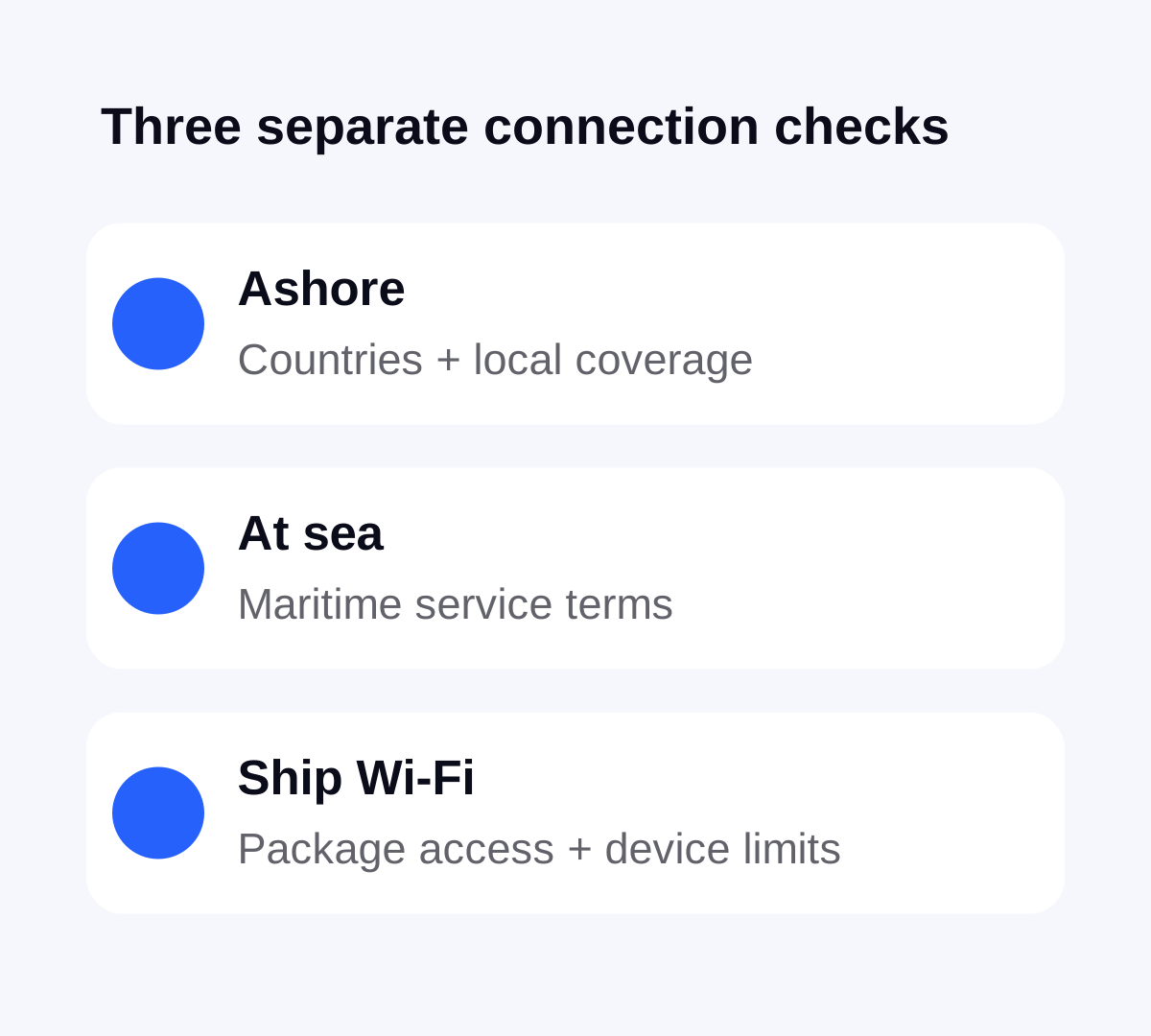
A destination name on a Stellar plan is not evidence that the plan includes a particular vessel or offshore network. This guide does not promise Stellar service at sea. If that is essential, obtain explicit confirmation of the supported ship, route and service before buying; otherwise plan a separate option for sailing days.
Make a port-by-port list, including islands and territories
Write down where you embark, every scheduled stop and where you disembark. Include a hotel night before departure or after the cruise. Compare those places with the full coverage list for the exact plan, rather than choosing by a broad label such as Europe or Caribbean.
For example, a route with stops in Italy, Greece and Turkey needs all three destinations checked individually. This is an itinerary example, not a claim that a particular bundle includes them. Start with the destination and regional plan directory, then confirm the current country list in the Stellar eSIM app. Nearby islands and territories deserve their own check.
Count elapsed calendar days as well as days ashore. Read the plan’s activation rule and validity period: do not assume a day at sea pauses an already running allowance. Our guide to choosing a travel plan explains the difference between installation, activation and expiry.
Decide what you actually need on a sea day
Do you need occasional messages, access to a work meeting or only the cruise line’s own onboard information? List those tasks before comparing the ship’s internet packages. Ask the operator which apps are supported, how many devices may connect and whether access lasts for a session, a day or the voyage. A Wi-Fi connection icon alone does not establish that internet access is included.
Maritime cellular roaming is a separate question for the carrier of each active SIM. Verizon’s cruise guidance, for example, distinguishes onboard cellular use from Wi-Fi and recommends airplane mode when cellular service is not intended. Its terms describe Verizon customers, not Stellar inclusions or a universal cruise tariff. Check your own carrier and cruise operator.
Before leaving port, review both phone lines
If you do not intend to use cellular service while sailing, airplane mode is a straightforward way to disconnect the phone’s cellular radios. On iPhone, Apple documents that Wi-Fi can be enabled separately while airplane mode remains on. Check the equivalent controls on your Android device and follow the ship’s instructions.
Review the home line as well as the travel line. Disabling data roaming alone is not a promise that calls or other carrier services cannot incur charges. If you keep your home number available, read its roaming conditions; our guide to using your usual number abroad covers the distinction between the number and the data connection.
Before enabling cellular again for a shore visit, identify the intended data line and follow its order-specific roaming instructions. Check the network and plan status rather than assuming the phone selected the connection you wanted.
Prepare the shore visit before you step off
Save the meeting point, return time, accommodation details and any tickets while you have a working connection. Download the relevant map area, then check which directions your map app offers offline. Our offline maps checklist explains the limits. A stored address is useful even if cellular reception is poor at a busy terminal.
Ashore, check the travel line with a small online task when you are within the plan’s covered area and ready to start it. A port on a coverage list still does not guarantee reception in every terminal, vehicle or sheltered location. Allow time to resolve setup issues before heading away from the ship.
Keep the purchase and the backup plan simple
In Stellar eSIM, select a plan for the places where you need shore data, check the exact allowance and validity, and buy it in the app. Follow the installation instructions for that order and use the app to monitor the remaining data during the trip.
Keep the cruise operator’s connectivity details available separately. If continuous access is essential, a country eSIM and a saved map alone are not a complete plan for the voyage. Decide in advance what you will use at sea, and what can wait until the next port.
Sources & further reading
Product information and device guidance used for this article. Check your selected plan and exact device before purchase or setup.